How to Manage Include Files in CARL
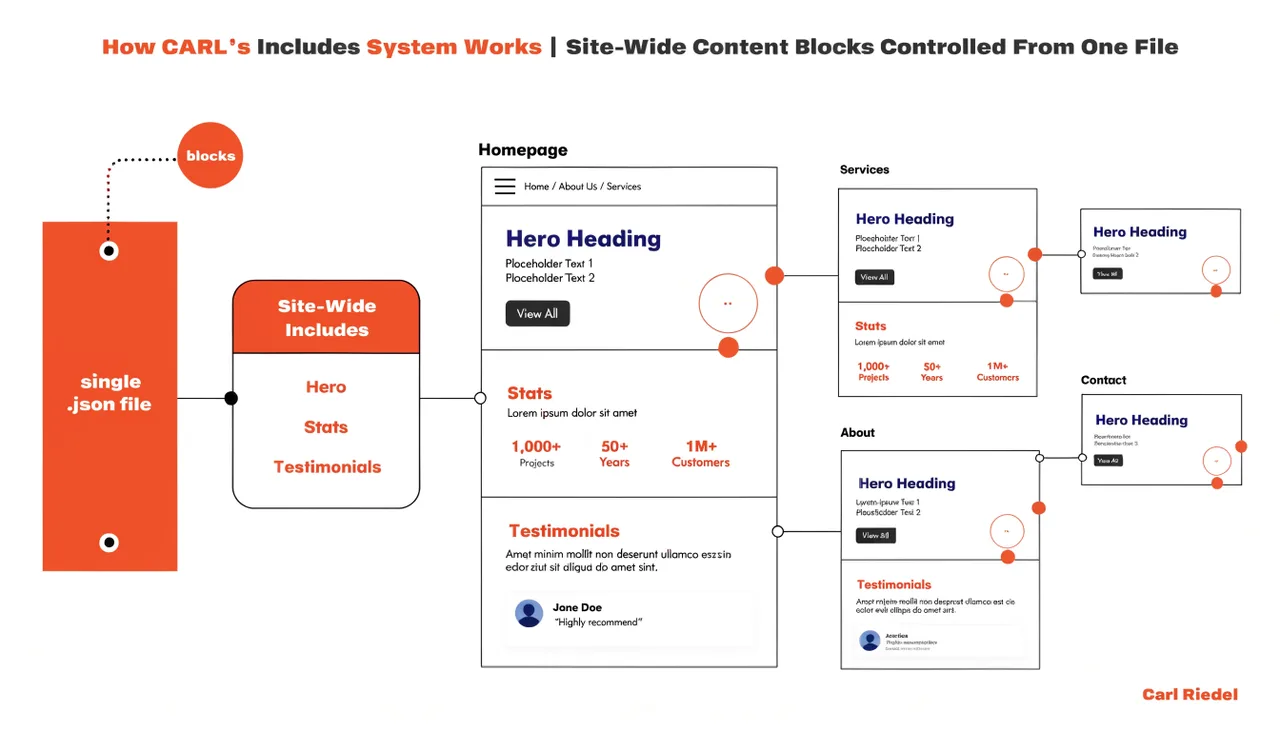
Include files are text files stored in your site_includes/ folder that gets pulled into your published pages at the point defined by your template. Your site header, navigation, footer, sidebar, signup form, and search bar all work this way. Edit the file once, regenerate your pages, and every page on your site reflects the change.
Where Include Files Live
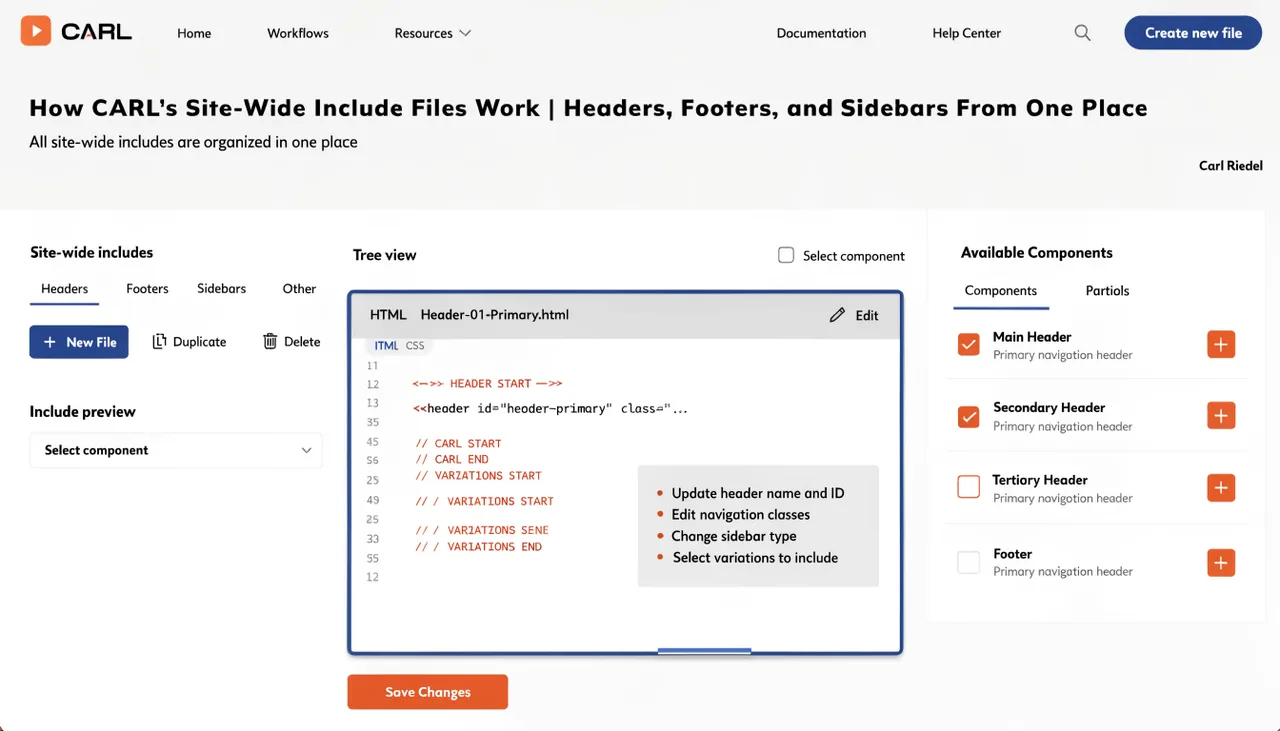
All include files are stored in the site_includes/ directory inside your public_html folder. CARL's default templates expect specific filenames: site_header.txt, nav_include.txt, footer_include.txt, search_bar.txt, carl_signup_form.txt, recent_posts.txt, and social_link_list.txt. These filenames are referenced directly in the template files, so the name has to match exactly.
Managing Include Files in the Admin Panel
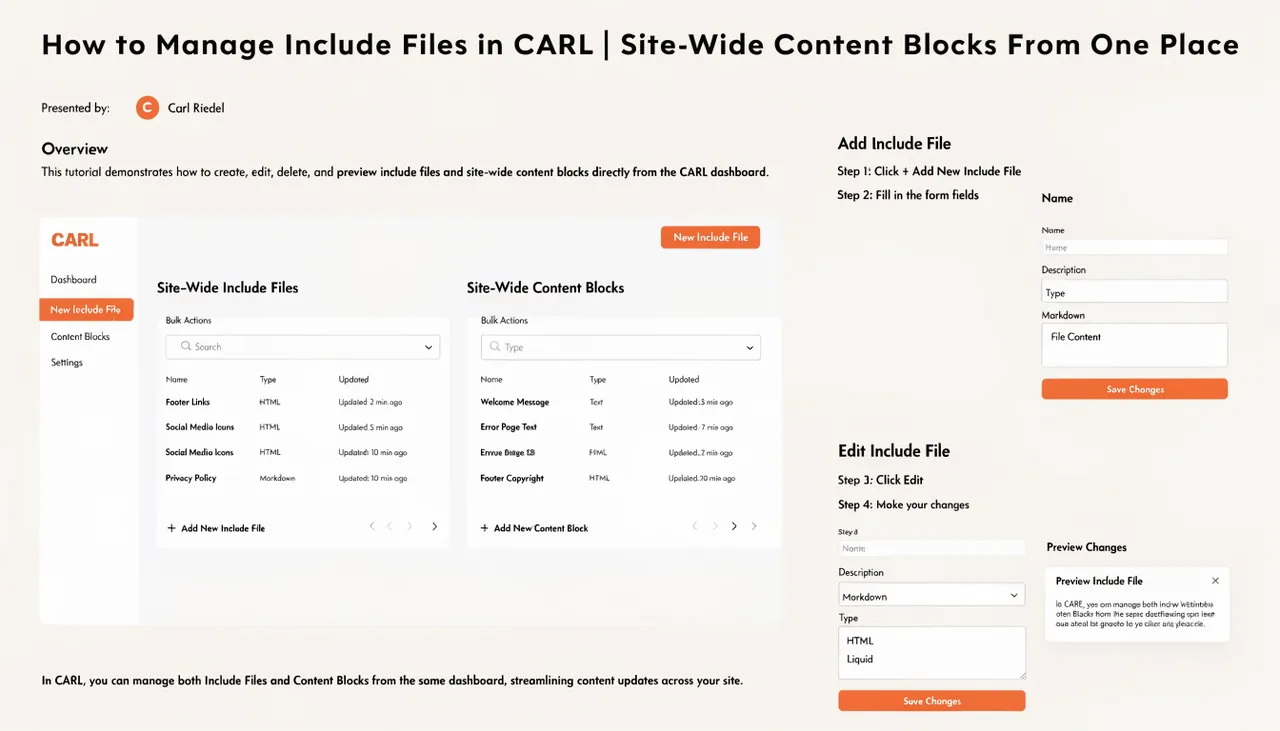
In the CARL admin panel, go to Include Files. You'll see a list of all files currently in your site_includes/ directory. Click any file to open it in the editor. Make your changes and save. The updated file is written to disk immediately. Your published pages don't reflect the change until you regenerate them, since the included content is baked into the static file at generation time.
Pushing Changes to All Pages
After saving changes to an include file, run a bulk regenerate to push the update across your entire site. Every published page that uses a template referencing that include file will be rebuilt with the new content. For a site with hundreds of pages, this takes seconds. For the full walkthrough, see How to bulk regenerate pages in CARL.
Creating Custom Include Files
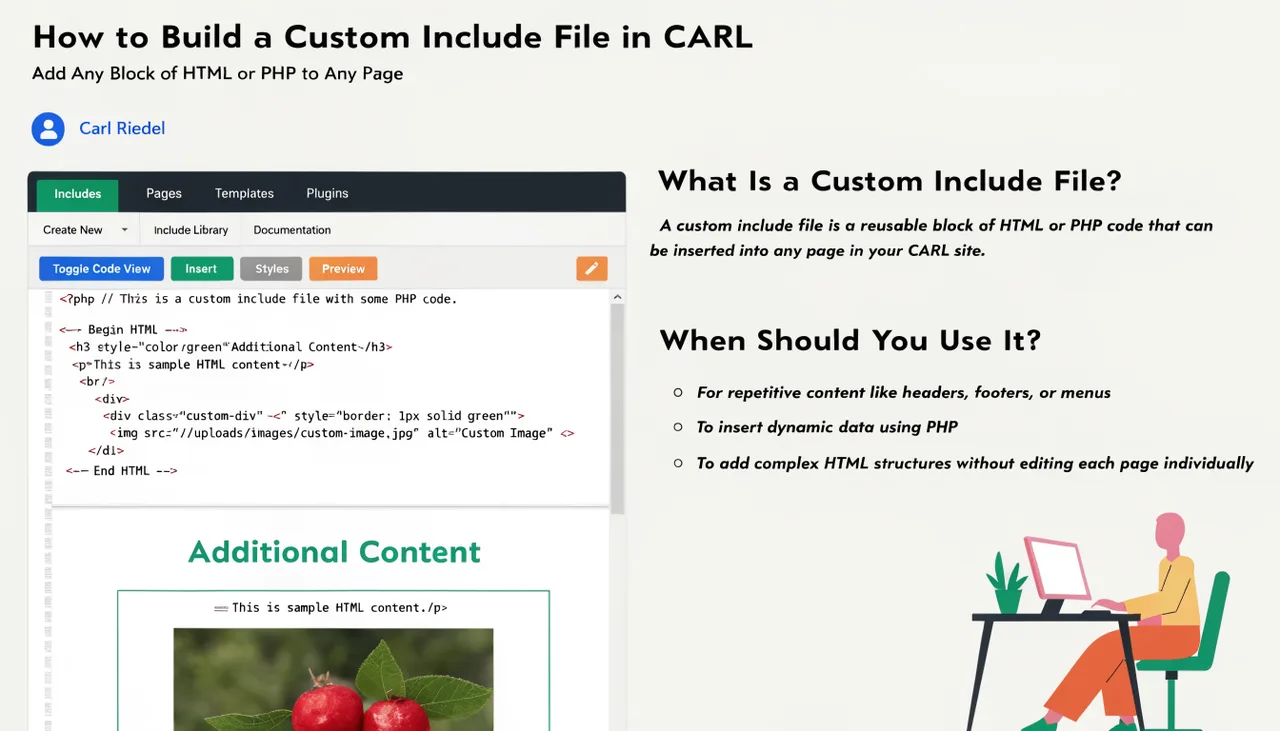
You're not limited to CARL's default include filenames. Create any file in site_includes/ with any name you choose and reference it in a template or a page's PHP Snippet field using a standard PHP include call. This is how you add custom sidebar widgets, promotional banners, or any reusable block of HTML or PHP to your pages without editing every page individually. For a full walkthrough of building custom include files, see How to build a custom include file in CARL.
Include Files Are Not Templates
Include files handle content blocks. Templates handle page structure. The distinction matters: changing a template affects the layout of every page using it, while changing an include file only affects the content of the block that file provides. Keep layout decisions in templates and content decisions in include files, and site-wide updates stay straightforward.