How CARL Optimizes Images
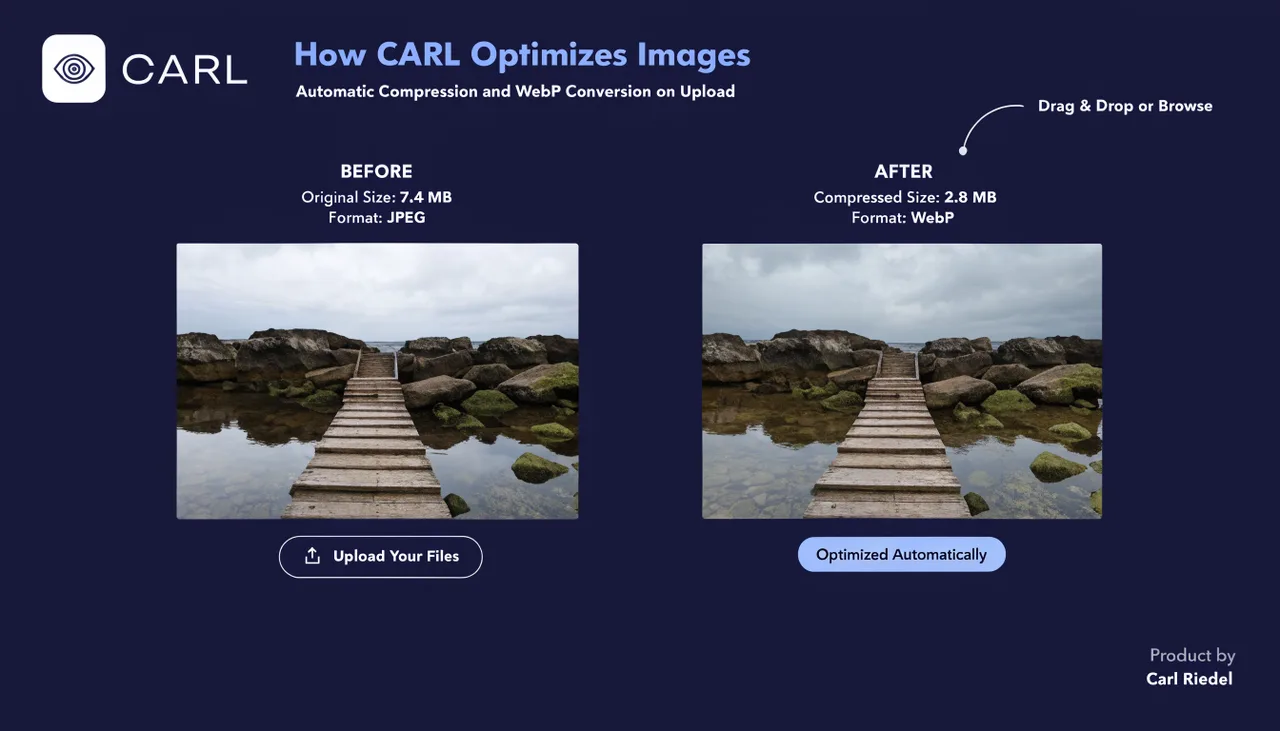
When you upload an image through the CARL admin panel, CARL processes it automatically before saving it to your server. Compression is applied, oversized images are resized to a sensible maximum width, and the file is converted to WebP format. By the time the image is available to use on a page, the heavy lifting is already done.
Why Image Optimization Matters for SEO
Page speed is a ranking factor. Large, unoptimized images are among the most common reasons pages load slowly, and slow pages rank lower and convert worse. CARL handles optimization at upload time, so you never have to think about it. You upload the photo from your phone or camera, and what ends up on your server is a compressed, correctly sized WebP file, a fraction of the original size.
WebP Conversion
WebP is the image format Google recommends for web use. It produces smaller file sizes than JPG or PNG at equivalent visual quality, which means faster page loads and lower bandwidth usage. CARL converts uploaded images to WebP automatically using PHP's GD library. The original file format doesn't matter: JPG, PNG, and GIF uploads are all converted to WebP on your server.
Resizing and Compression
CARL resizes images that exceed the configured maximum width, scaling them down proportionally. Images already within the limit are left at their original dimensions. Compression is applied during the WebP conversion process. The result is an image that looks correct on your pages without carrying the file weight of an unoptimized original.
What Happens to the Original
CARL works on the uploaded file during processing and saves the optimized WebP version to your images directory. You don't need to pre-optimize images before uploading. Upload what you have, and CARL handles the rest. The Image Manager in the admin panel displays your uploaded images and their file sizes, so you can see exactly what's on your server.